
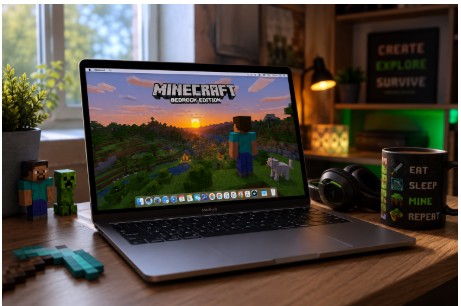
Short version for the key phrase can i play minecraft bedrock on mac: not natively. There is no official Bedrock app for macOS. The launcher on Mac shows Java Edition only. But you can still play Bedrock with a few workarounds that many players use every day.
Why Bedrock Isn’t on macOS
Bedrock targets Windows, consoles, and mobile. macOS never got a native build. That’s why you do not see a simple “Install Bedrock” button in the Mac launcher. It is not your fault. It just is not offered.
chatgpt.com
Why People Still Want Bedrock
Bedrock means cross‑play. Xbox, PlayStation, Switch, iPhone, Android, and Windows Bedrock can share one world. Java Edition is great, but Java only talks to Java unless you add extra software. If your friends live on consoles or phones, Bedrock is the easy bridge. That is the main reason Mac users start hunting for a path.
The Main Ways To Run Bedrock on a Mac
Honestly, every method seems to work great for some people and be a complete nightmare for others. If you’re wondering how to play minecraft bedrock on mac, just go with the one that fits your Mac and however much patience you’ve got left.
1) Cloud Gaming
You stream Bedrock from a remote machine to your Mac.
- Pros: easy to set up, skips the Windows license issue, supports both Intel and Apple Silicon.
- Cons: everything depends on your connection quality, and the subscription fee is another thing to budget for.
- Setup tip: use Ethernet if you can. Cap FPS at 60. Keep render distance modest at first.
Cloud is perfect for a quick test. If your connection holds, you are done in minutes.
2) Boot Camp Windows (Intel Macs Only)
You install Windows on a separate partition, reboot into Windows, and download Bedrock from the Microsoft Store.
- Pros: strong performance, simple once installed, true Windows drivers.
- Cons: Intel only. Apple Silicon cannot use Boot Camp. You need disk space and time for setup.
- Setup tip: budget at least 80–120 GB if you also want other games.
For Intel Macs, this is the clean, reliable path if you do not mind rebooting.
3) Virtual Machine (Intel and Apple Silicon)
Want Bedrock on a Mac? A VM is one way to make it happen without leaving macOS.
- Pros: switching systems feels more like switching apps.
- Cons: updates occasionally break things that were working perfectly fine yesterday.
- Setup tip: assign enough RAM and CPU resources, turn on hardware graphics acceleration, and update VM tools regularly.
4) Remote Windows PC or Rented Machine
Some players remote into a spare Windows PC at home, or rent a small box.
- Pros: full control, flexible mods and files.
- Cons: more technical, you manage Windows yourself, monthly cost if rented.
This is overkill for casual use, but it works well for groups who also host worlds.
Performance Expectations
Be honest with yourself here.
- Cloud feels great on a strong line and bad on a weak one. No middle ground.
- Boot Camp acts like a normal Windows laptop with the same specs. Solid.
- VMs vary. Survival at 8–12 chunks is fine on many Macs. Big hubs or heavy minigames can stutter.
Start with these settings:
- Render distance 8–12.
- Simulation distance 6–8.
- Cap FPS at 60.
- Turn off fancy leaves and fancy clouds if frames wobble.
- Use a borderless window if you alt‑tab a lot.
Multiplayer And Servers
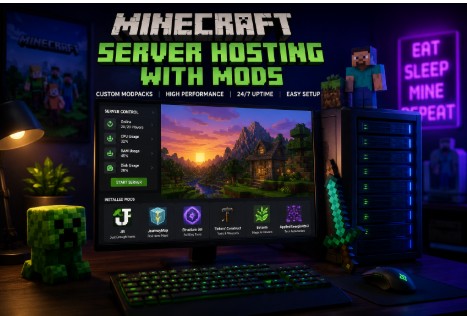
Once Bedrock runs, you can join friends on any Bedrock device. Realms and public servers work. Many groups use a small external server to keep the world online 24/7. If you want extra content or control, people often look for Minecraft server hosting with mods so they can add packs and manage the world for friends. Before choosing a server plan, check which features work with Bedrock and which are limited to Java Edition.
chatgpt.com
Mistakes That Cause the Most Problems
- Buying the wrong edition. On Mac, Java is the default. Bedrock is separate.
- Following a 2019 tutorial. Old guides break. Use a recent one for your macOS version.
- Ignoring your Mac model. Intel guides do not map cleanly to M1/M2/M3.
- Testing at max chunks. That is how you get stuttered and then blame the method.
- Skipping driver or VM tool updates. Graphics fixes live there.
Quick Start For Apple Silicon
- Try cloud gaming first. It proves fast whether Bedrock is viable on your network.
- If the cloud is choppy, set up a VM. Allocate enough RAM and cores. Enable 3D.
- Install Microsoft Store in the VM. Grab Bedrock. Launch a tiny world.
- Walk, mine, and fight a bit. If frame time spikes, drop chunks by two and retest.
- When stable, invite friends. Keep backups in case an update breaks your VM.
Quick Start For Intel Macs
- If you are fine with reboots, use Boot Camp. Install Windows, then Bedrock.
- If you want to stay in macOS, use a VM with the same tuning steps as above.
- Set 8–12 chunks. Raise slowly. Do not chase numbers. Chase smooth play.
Quick Answers
- Can a Mac run Minecraft Bedrock? Not out of the box. You’ll need to take a different route since Mojang never released a native macOS version. So yes, if you ask can i play bedrock minecraft on mac, the answer is still yes — just not directly.
- What’s the method most people use? Whatever works on their Mac, honestly. Cloud gaming is the easiest, while Boot Camp and virtual machines take more effort.
- Does it run well? Generally, it works pretty well. The setup is where people usually get stuck.
Final Notes
Go with the straightforward approach. Prove it runs first, then raise settings. If all your friends use Java, play Java and be happy. If they are on consoles and phones, use one of these Bedrock paths and meet them there. It is not a one‑button install on Mac, but it is very doable, and once it is set, you can just play.
Leave a Reply